Known Issues (macOS)
Solutions to known issues on macOS
System audio is not being recorded
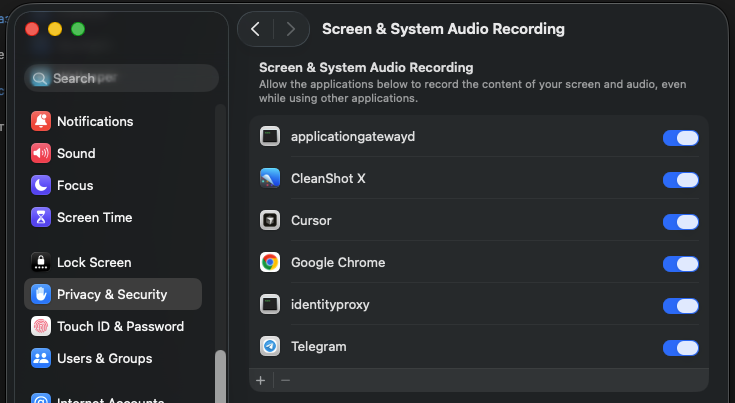
On macOS, you need to allow the application to record screen and system audio in System Settings → Privacy & Security → Screen & System Audio Recording.
Screenshots only show the desktop
Same reason — the application doesn't have screen recording permission. Go to System Settings → Privacy & Security → Screen & System Audio Recording and enable identityproxy.