Screen Sharing Protection
Screen sharing protection requirements and supported apps.
On Linux, the overlay is hidden from screen sharing only in KDE Plasma on Wayland. In other environments, share a single window or tab instead of the whole screen. See the Linux page.
Initially, you need to use a browser based on Chromium. For example: Google Chrome, Microsoft Edge, Brave, Opera, Yandex Browser and others.
In the following applications, everything works perfectly in browser versions, provided they meet the system requirements:
Which applications work?
- Google Meet
- Microsoft Teams
- VK Calls
- Yandex Telemost (browser version)
- Salute Jizz
- Chatzone / MeetZone / o3
- TrueConf
- Discord
- Jitsi Meet
- BigBlueButton
- KTalk
- Hackerrank
- Codesignal
- WB Stream
- MTC Link
- Coderpad
- Whereby
- Cisco Webex
- Codility
- Telegram (browser version)
- DION (browser version)
- Chime (browser version)
- Zoom (browser version)
Which applications don't work?
- Yandex Telemost (desktop version)
- Telegram (desktop version)
- DION (desktop version)
- Chime (desktop version)
- FaceTime
- Proctor360
- Proctorio
- Honorlock
- Meazure Learning
- Examity
- Respondus LockDown Browser
- ProctorExam
Require preliminary setup
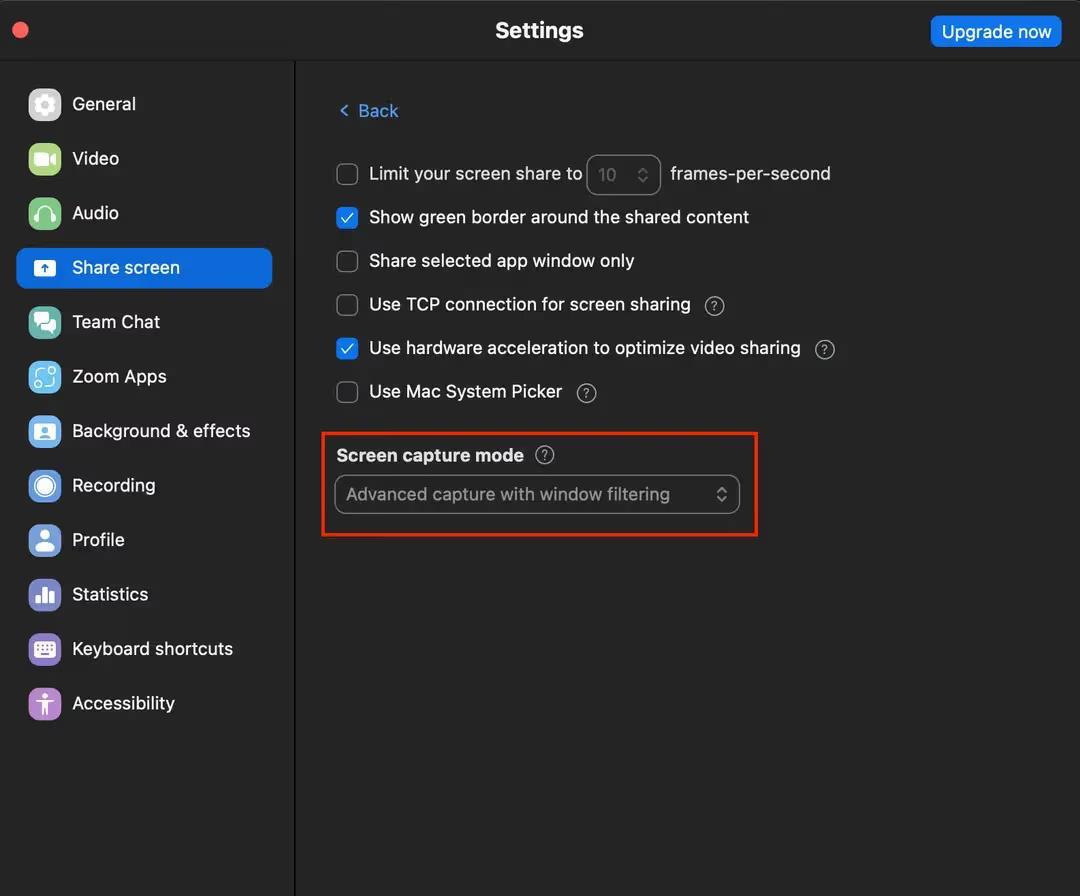
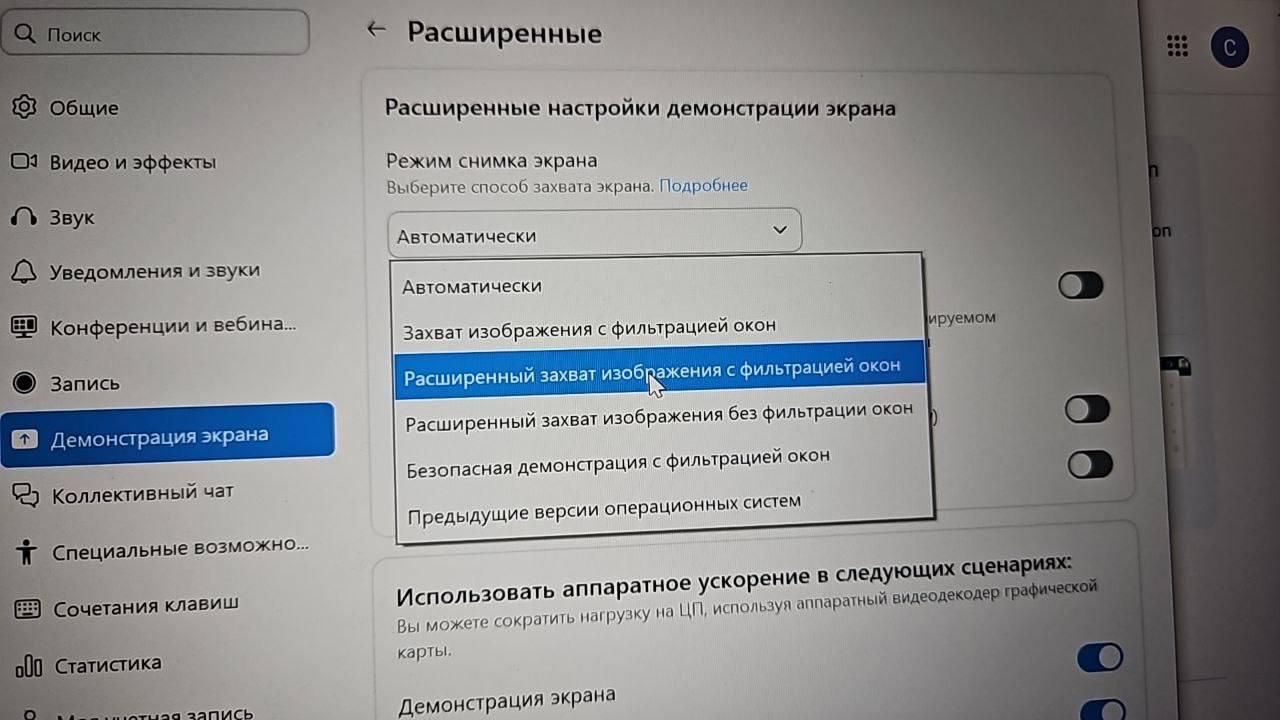
- Zoom (desktop version)
-
Requires enabling Advanced capture with windows filtering in the application settings.
-