Which applications work?
- Google Meet
- Microsoft Teams
- VK Calls
- Yandex Telemost (browser version)
- Salute Jizz
- MeetZone / o3
- TrueConf
- Discord
- Jitsi Meet
- BigBlueButton
- KTalk
- Hackerrank
- Codesignal
- WB Stream
- MTC Link
- Coderpad
- Whereby
- Cisco Webex
- Codility
- Telegram (browser version)
- DION (browser version)
- Chime (browser version)
- Zoom (browser version)
Which applications don’t work?
- Yandex Telemost (desktop version)
- Telegram (desktop version)
- DION (desktop version)
- Chime (desktop version)
- FaceTime
- Proctor360
- Proctorio
- Honorlock
- Meazure Learning
- Examity
- Respondus LockDown Browser
- ProctorExam
Require preliminary setup
- Zoom (desktop version)
-
Requires enabling Advanced capture with windows filtering in the application settings.
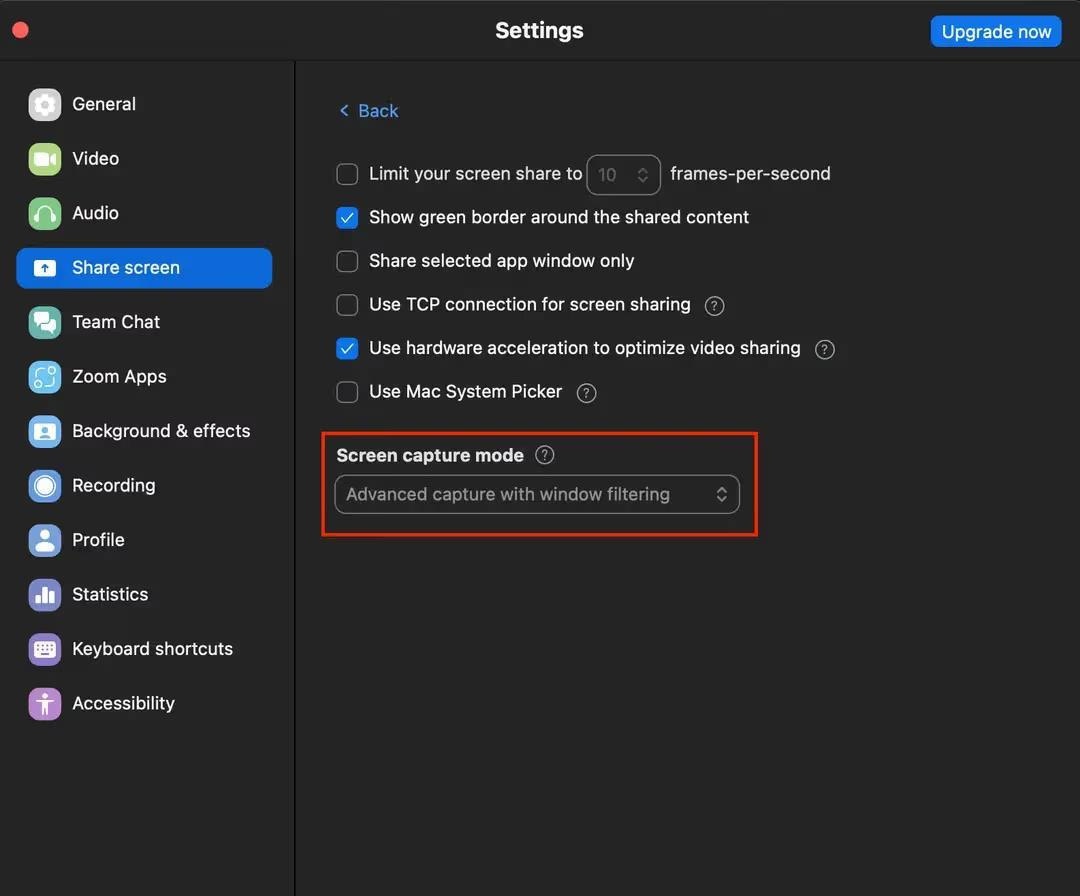
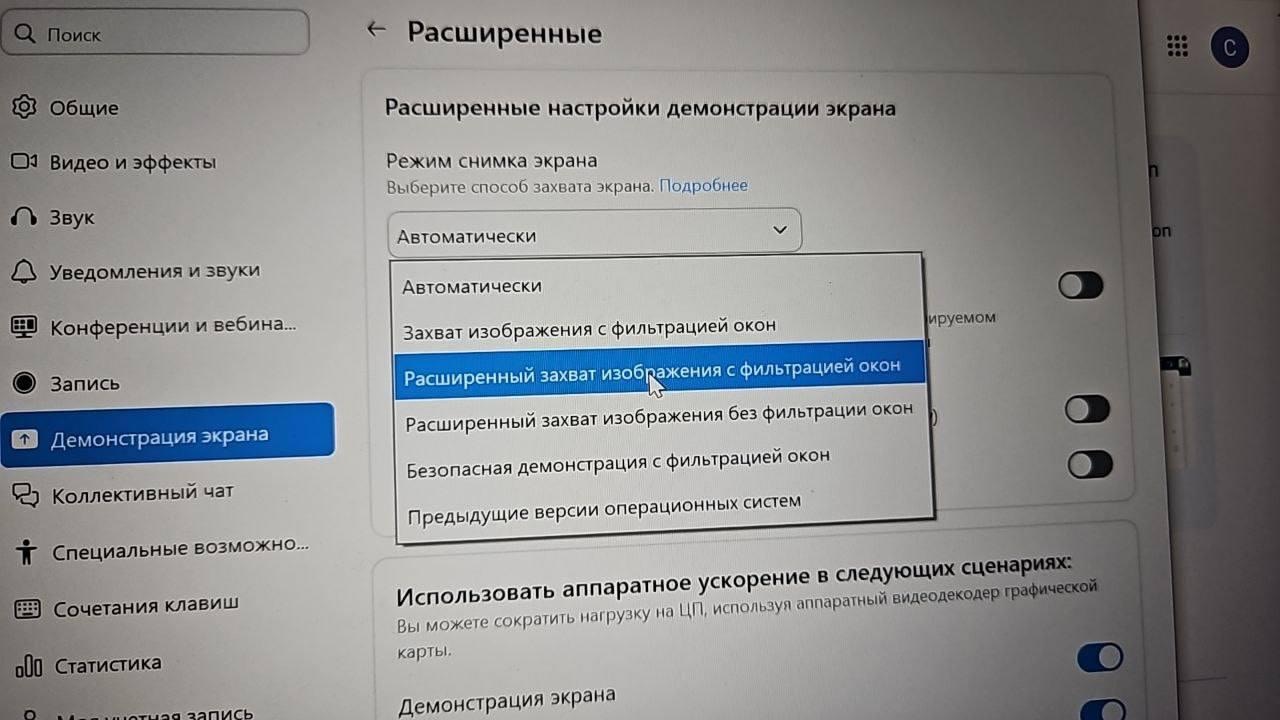
-
Requires enabling Advanced capture with windows filtering in the application settings.